How to make a boring task interesting, and learning more about accessibility in iOS.
This is part of a series of blogs about some of the projects I worked on as a part of my time at the Apple Developer Academy in Naples, Italy.
Context
This project at the Academy had two clear goals: conduct actual user research with our target demographic, and make sure our app worked well with the VoiceOver accessibility feature for people with low vision.
As a team we landed on the theme of travel, but we were not quite sure exactly what problem we were going to try to solve.
User research
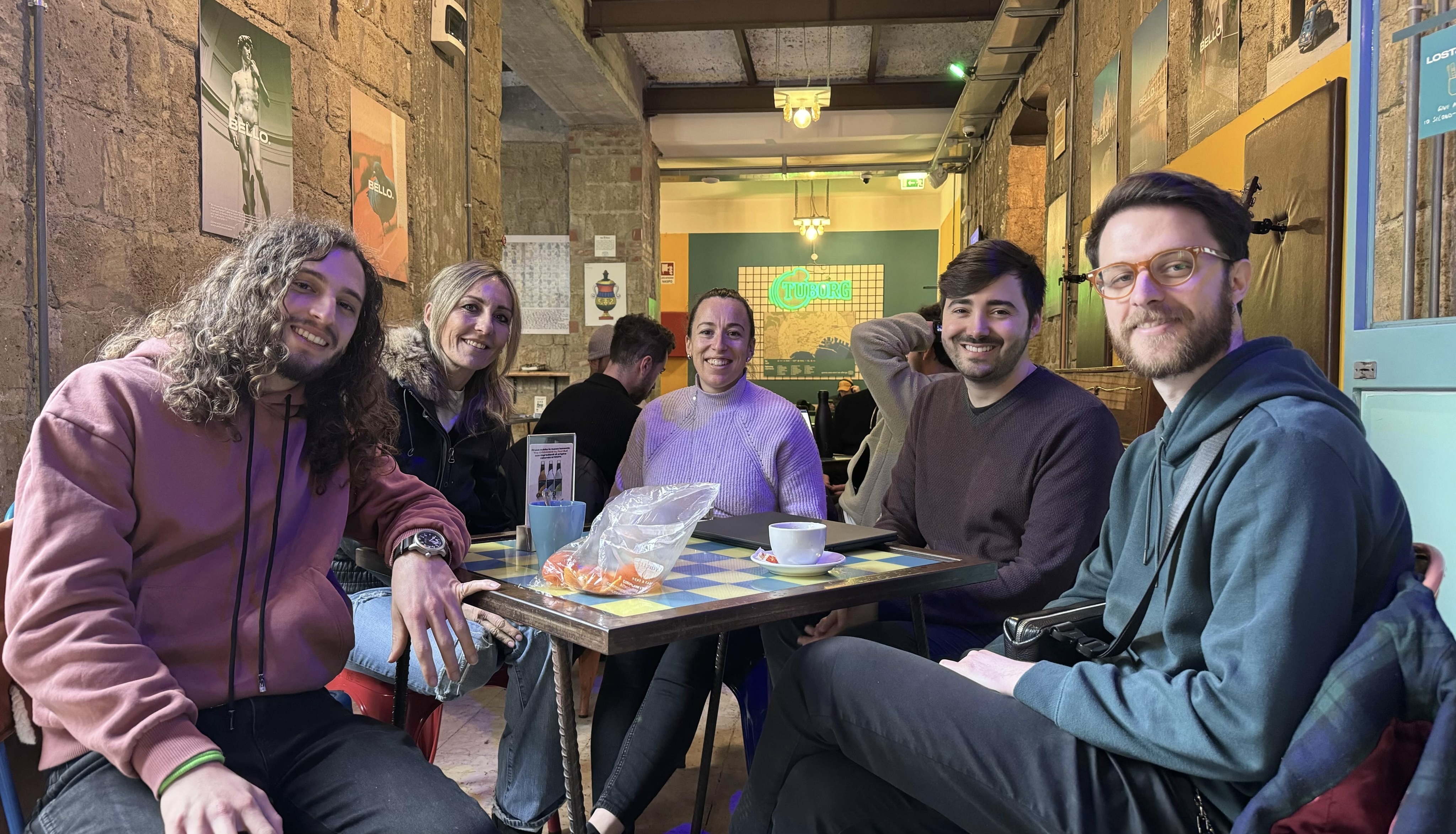
We went out into the city and visited some hostels — places where we thought we’d find our target market, and we did! We had a great time chatting with travellers from all over the world. There were a diverse array of problems we heard about, travelling is hard sometimes! But one thing came up again and again: packing.
Our focus
In the end, we landed on the specific topic of “onebagging”; travelling with only carry-on luggage. Onebagging allows greater freedom by reducing the amount of time waiting at the airport (you can literally just grab your carry-on and walk off the plane into your destination!), reduces your risk of losing your bag, and by packing light you avoid the need to lug around heavy suitcases and find somewhere to store them. Personally I’ve done many trips with only carry-on (including a 10 day trip to Jordan!), and it’s amazing.
The tricky thing with packing light is just that: the packing. It’s very tempting to bring things along “just in case”, and soon you have a bag that either weighs 20kgs or doesn’t fit into an overhead locker anymore!
People who are new to this idea often struggle to cut down their bags to a reasonable size and weight, and experienced onebaggers often keep detailed packing lists that are adaptable depending on where they are going on their trip and for how long.
So this was our challenge statement: how can we help people pack light, but right?
Our idea
In the end we created ZipUp, an app that helps you pack your bag for your next trip.
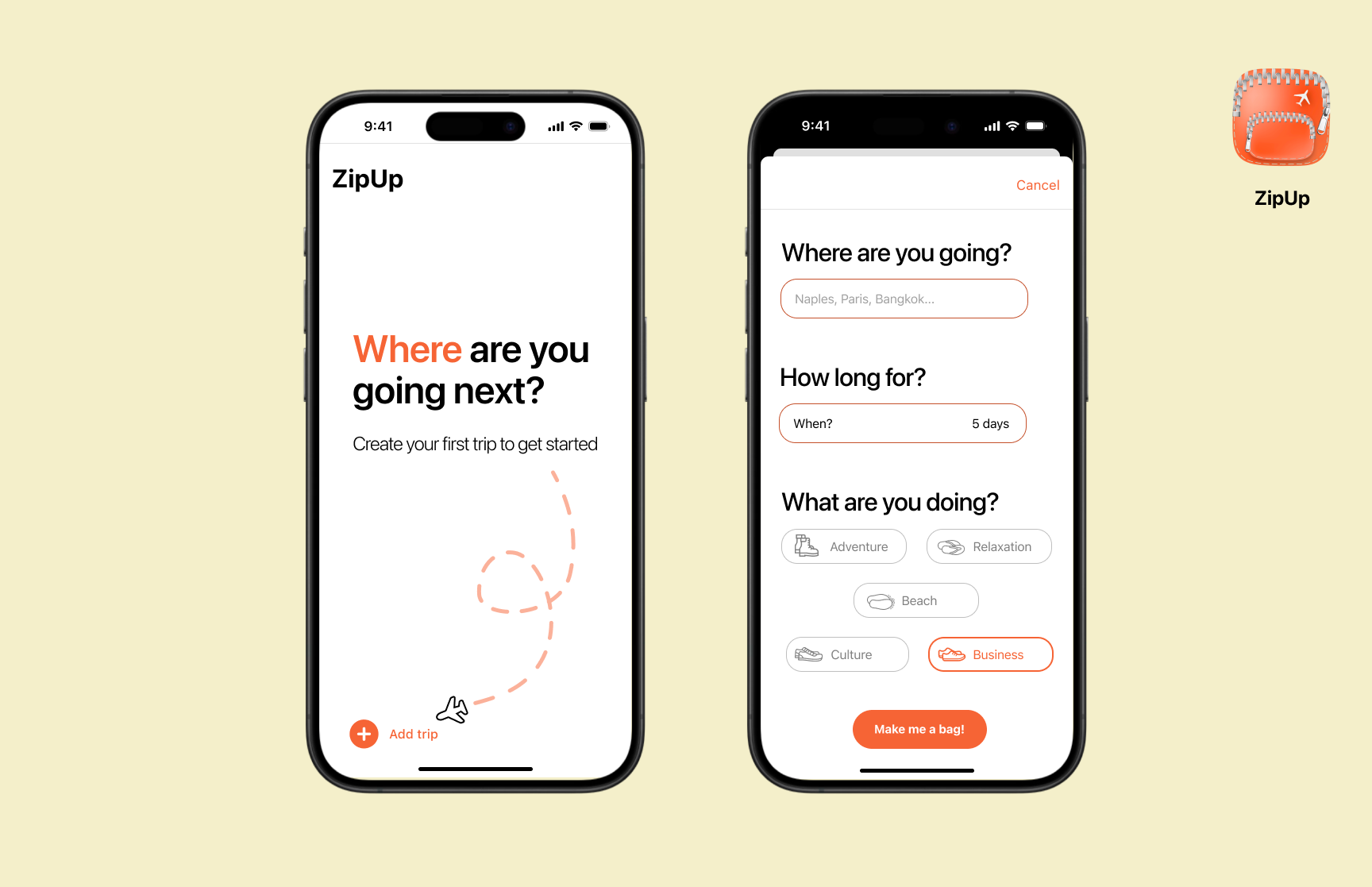
The core idea is simple, you create a new trip and tell the app where you’re going and for how long. We use that information to generate a suggested packing list, making sure that it’s weather-appropriate but still light weight, and then you have the opportunity to vet the packing list and add your own items.
We wanted to make the interaction for this process to be super low friction and intuitive, so that it would be easier than just writing a list in your notes app, and have enough added value that would make you want to keep coming back to create a new list for all your future trips.
Design
The main flow of ZipUp is based around the same sort of swiping interaction you see in apps like Tinder. Once you’ve set your destination and dates, the app generates you a packing list for you to review.
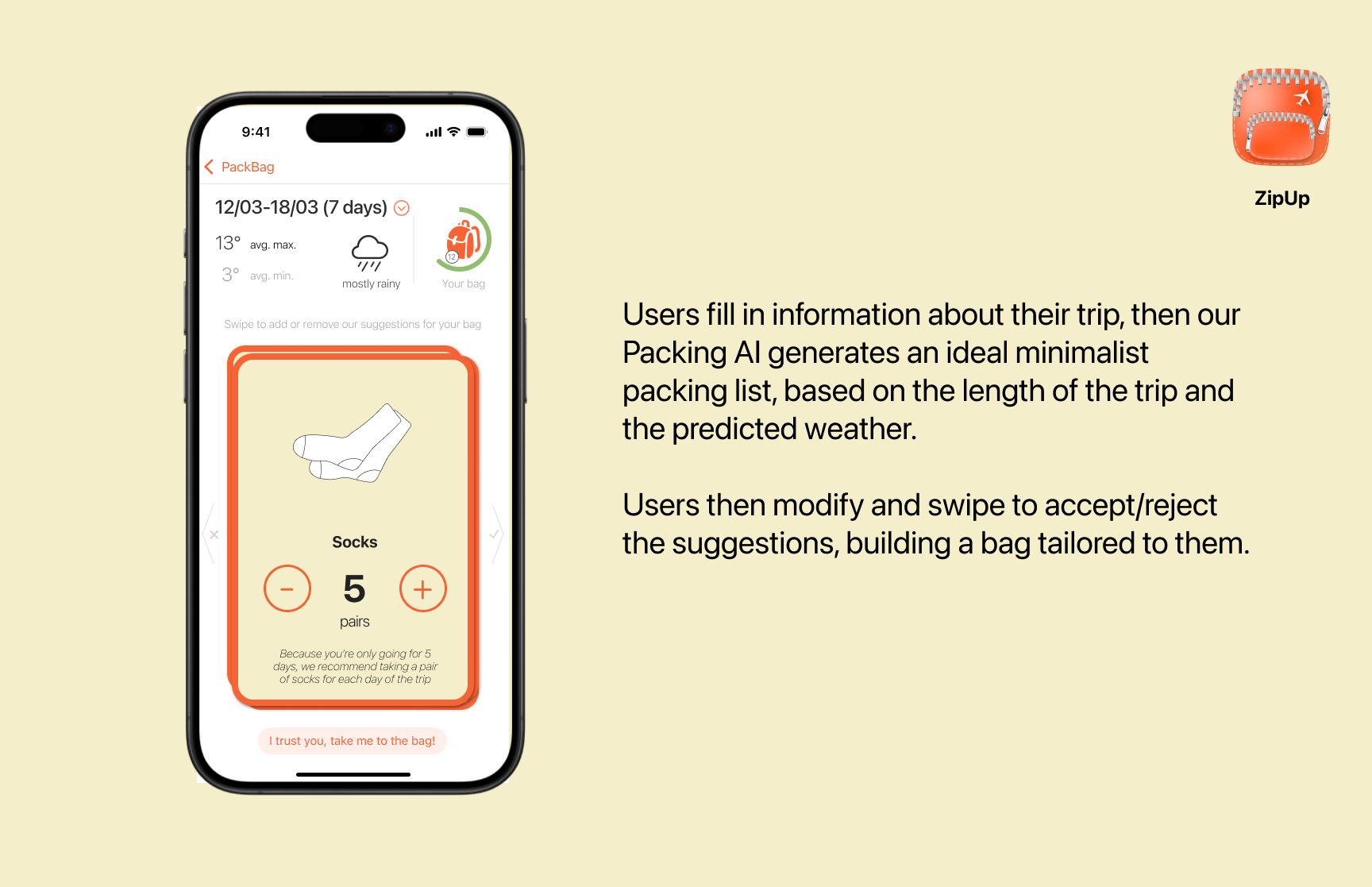
Swiping right adds the item to your bag, swiping left discards it. You can also use the buttons to increase or decrease the amount of that item. Each suggestion comes with some text that explains why it has been suggested, so that users can learn to pack better in the future.
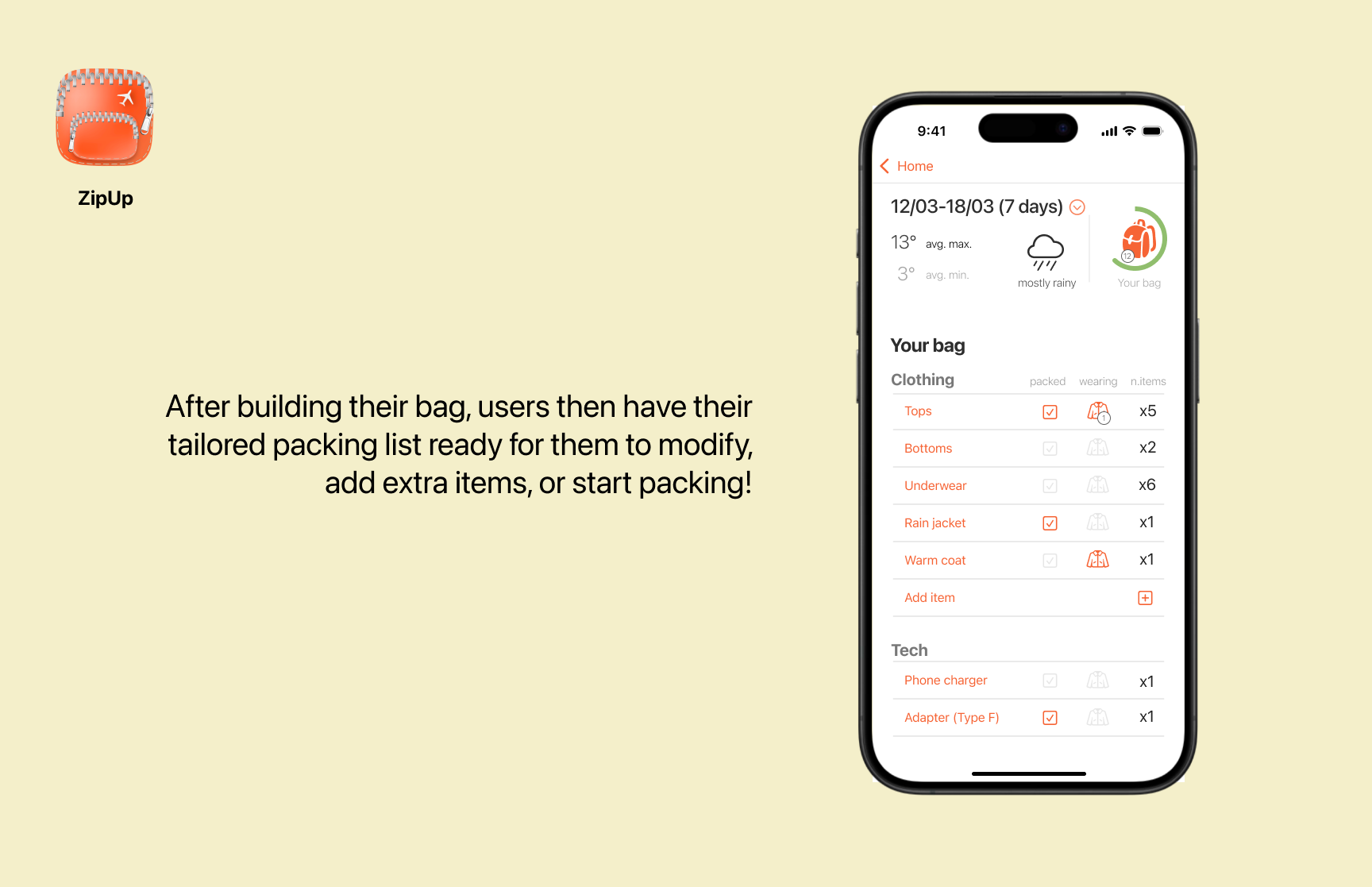
Once you’ve reviewed the bag, there’s a packing list page that makes it easy to plan out your pack. Is this an item that you wear? Have you packed it? Users can also add in their own items and keep up to date with the predicted weather as their trip gets closer.
Accessibility
This project gave me a great opportunity to dive in deep on accessibility in iOS, in particular for people with low/no vision. The main swiping interaction is not accessible for people with low vision, and I wanted to take this opportunity to learn how to make it better.
By default when interacting with the stack of cards, VoiceOver just reads out a list of generic buttons and images (with description text sprinkled in). I quickly realised that VoiceOver was detecting the whole stack of cards and reading them all out together!
Too many cards
The first step to creating a better VoiceOver interaction was to limit the visible cards to just the top card, with:
.accessibilityHidden(index == itemList.count - 1 ? false : true)
Great, so now VoiceOver is just reading out the top card, but it’s still not clear at all what’s going on. The text at the bottom of the screen that’s useful for sighted users is not connected to the card text when read aloud.
So, the next step is to replace the card’s generic items with a different representation, one that provides clearer information about what the item is, and what the user can/should do with it.
A different representation
.accessibilityRepresentation {
	Text("Suggestion: \\(item.name). Number to bring: \\(item.userQuantity)")
}
This code here tells VoiceOver to read aloud this line instead of trying to interpret all the UI elements that are on the card. So instead of hearing:
Button
Button
Button
Socks
5
pairs
Instead, the user will hear:
Suggestion, socks. Number to bring, 5
What can I do with this?
Ok, so now the user has a better idea of what’s on screen, and why. But now how do they interact with it? We could still allow the swiping, but the card has other interactions (i.e., the increment/decrement buttons) that make that interaction harder.
Instead, we can provide VoiceOver with actions that it can give to the user using accessibiltyAction. So, VoiceOver will read the descriptive text and let the user know that there are actions available. When prompted, it will then list the actions:
- Add to the bag
- Remove from the bag
- Increase or decrease the amount of items
Implementation
Implementing these changes was very straightforward, taking a max of 10 lines of code. The result was a much more usable app for users with low vision, definitely worth the effort! I’m sure there are many ways it could be improved, but these felt like important first steps.
Demo
Here’s a video of our prototype in action!
Takeaways
This project was a real learning experience! My key takeaways were:
- Researching with real people from the target demographic is fun, illuminating, and important
- Solving accessibility issues is fun (and important!), and there are great tools out there to make it easy.